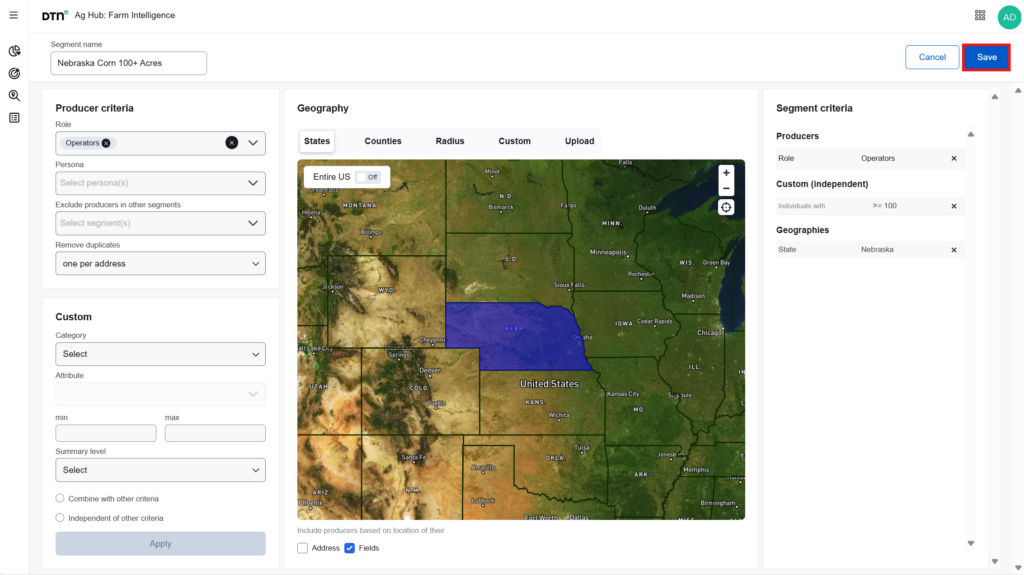
- To create a new segment click Add Segment.
- Type a name to identify the new segment. Segment names can be edited later, but not the criteria.
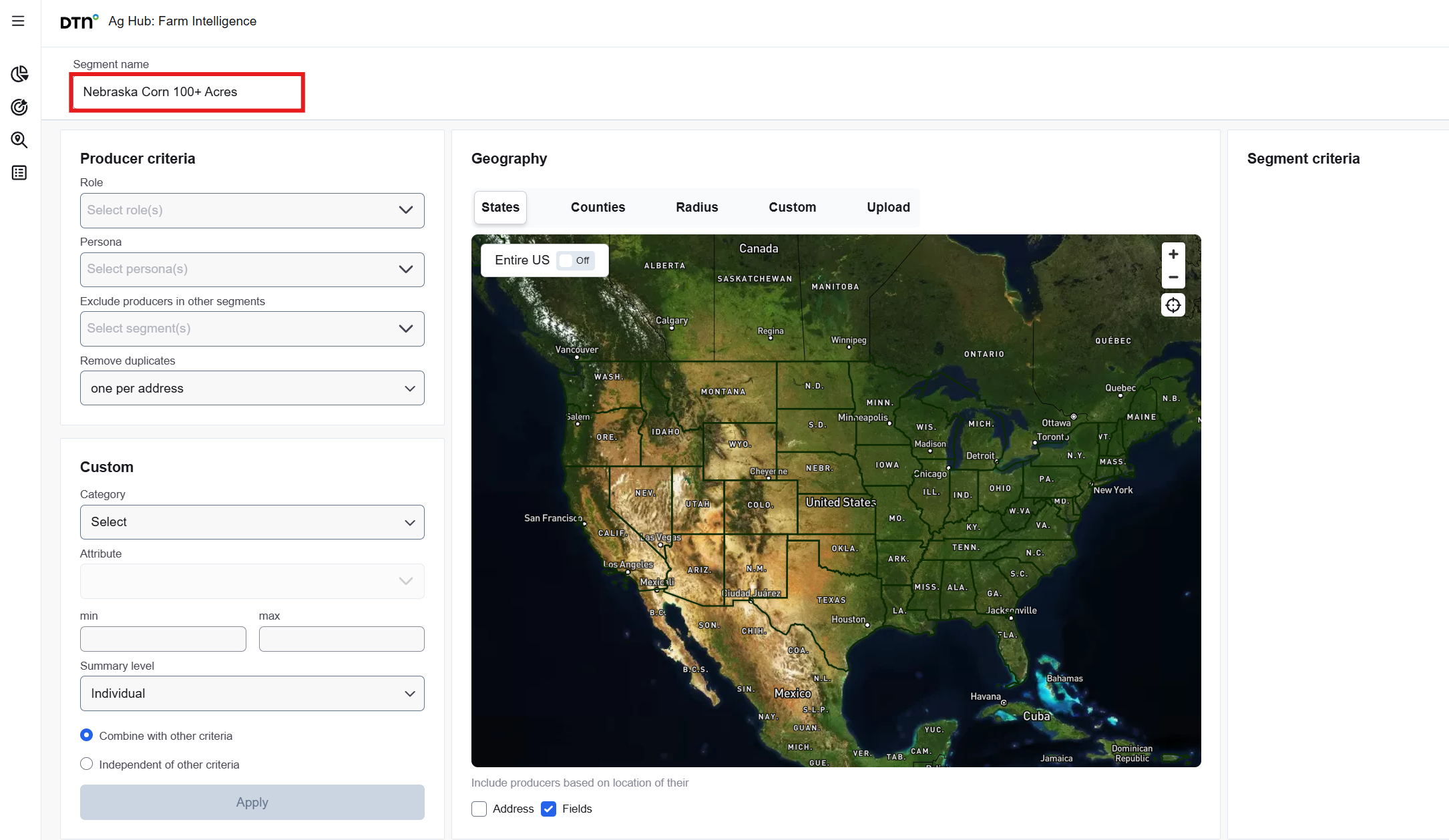
Select the desired Producer criteria for this segment:
- Role/Persona: If needed, choose the desired Role(s) and/or Persona(s), which are assigned to producers based on DTN’s data.
- Exclude Producers in other segments: If you’ve created other segments, you can ensure that any producers included in those segments are excluded from the current one by selecting an existing segment from the drop-down. This helps prevent overlap and keeps your segmentation clean and distinct.
- Remove duplicates allows you to only allow one contact per individual, address, phone number, or email address. It is recommended that you select an option to minimize redundancy among the segment’s producers.
The ‘Farm Operation’ criteria provide data-driven filters to refine your segment. Begin by selecting a category; based on your selection, additional fields will appear. To ensure that producers within the segment operate farms with specific characteristics, it is recommended to apply one or more ‘Farm Operation’ criteria. You may include multiple criteria as needed. After selecting a category and its corresponding attribute, define a minimum and/or maximum threshold. If the minimum value is left blank, a default of zero will be assumed. If the maximum value is omitted, only the minimum threshold will be applied.
-
- Crop Acres: Enter the minimum and/or maximum acreage values to define the range. If the minimum is left blank, a default of zero will be applied. If the maximum is left blank, only the minimum threshold will be considered.
- Income: Gross farm income and subsidies
- Brand used: What is the likelihood up to 100% that they’re using a given product from the list.
- Summary level:
- Individual: A single producer. Must personally have 100 acres of alfalfa to be included.
- Address: All producers at one location. They’re included if they jointly have 100 acres.
- Operation: A network of producers across locations, linked by an algorithm to represent a farm. More likely to meet acreage thresholds due to larger scale.
- All fields in this panel must be completed or selected before the ‘Apply’ button becomes available. Click Apply to confirm your selections.
- Review your selected criteria by looking at the Segment Criteria panel on the right-hand side of the page. To add additional criteria, follow the previous steps and click Apply.
- When choosing multiple criteria, you can choose if you want to see results combined or independent.
- Combined: Producers must meet all criteria simultaneously.
- Independent: Producers can meet any one of the criteria.
- Select the desired geography. You can choose entire states or counties by clicking on the map, create custom areas using a radius or polygon, or upload files such as ZIP code lists, state lists, or shapefiles. Please note that you can only create segments within the states and counties your account has permission to access.
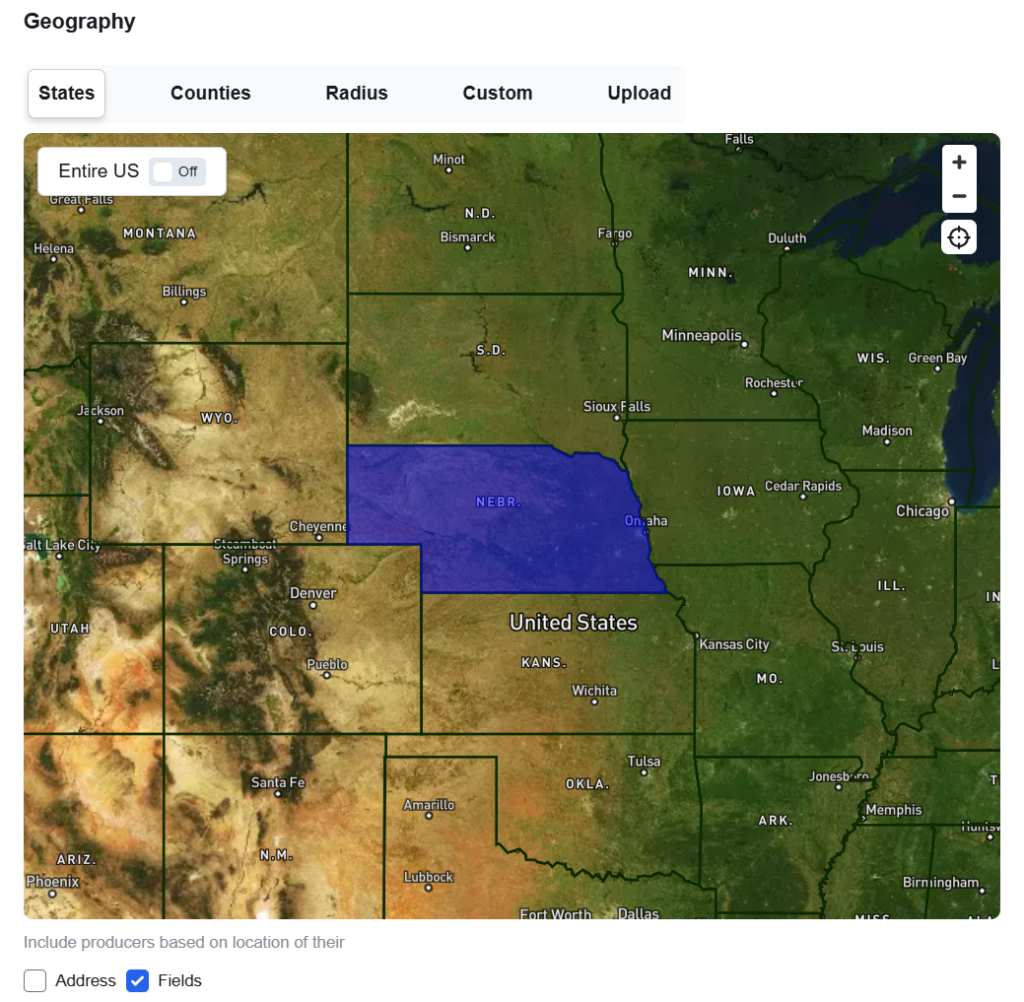
- Below the map select whether to include address, fields or both.
- Address: Producers are included if their primary address falls within the specified geography, even if they don’t own land there.
- Fields: Producers must have at least one field in the geography to be included, regardless of their address.
- Both: Producers are only included if they have both a field and an address in the geography.
- Click Save (at least one geography and one Farm Operation criterion must be selected.)